There are various types of geofences that you can draw depending on which shape is best for your situation. The different types of geofences you can create are:
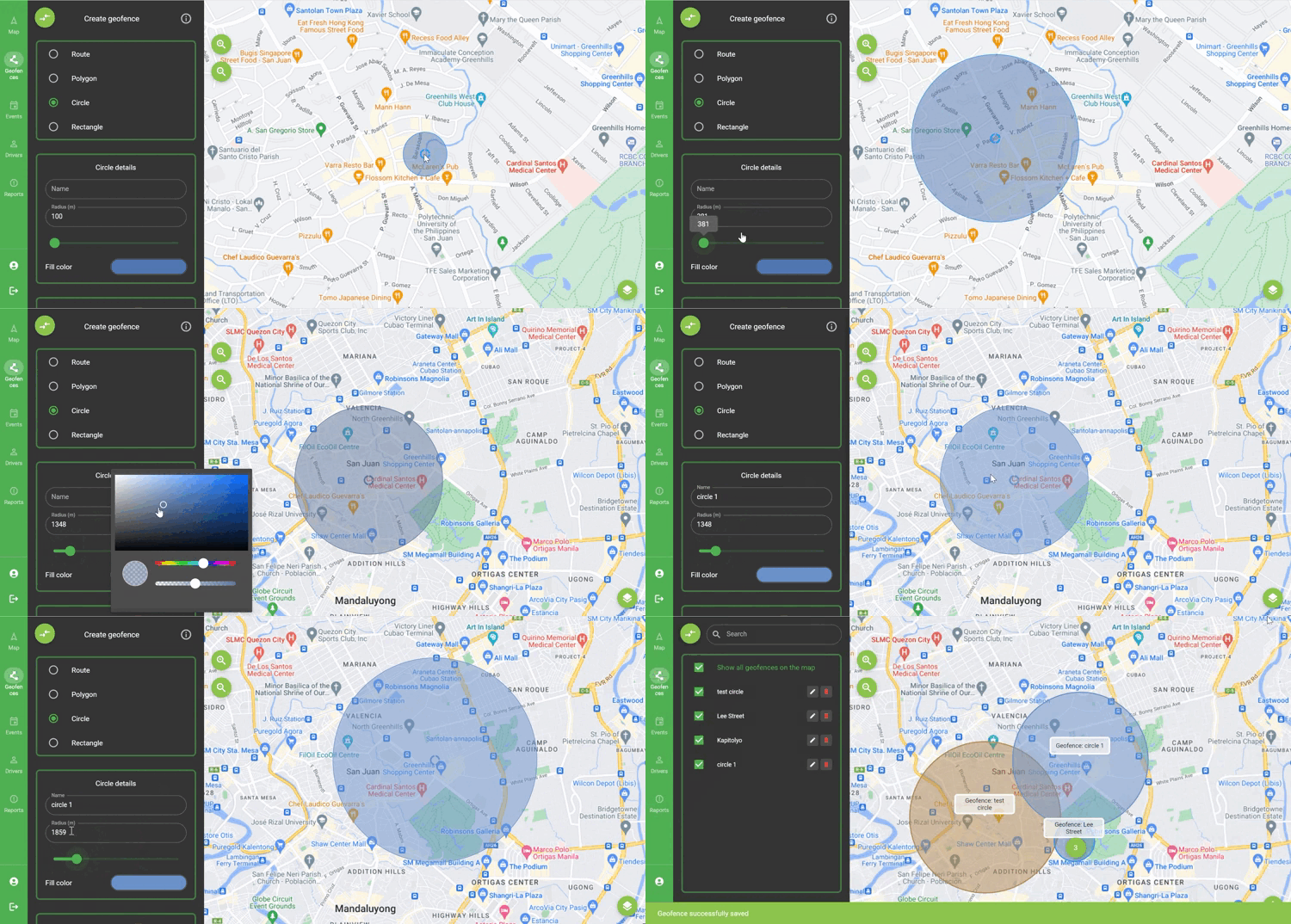
To create a circle geofence it is necessary to draw at least 1 point on the map. You can change the position of the circle by dragging the dot in the center of the circle. The drawing process and the choice of parameters are presented below:
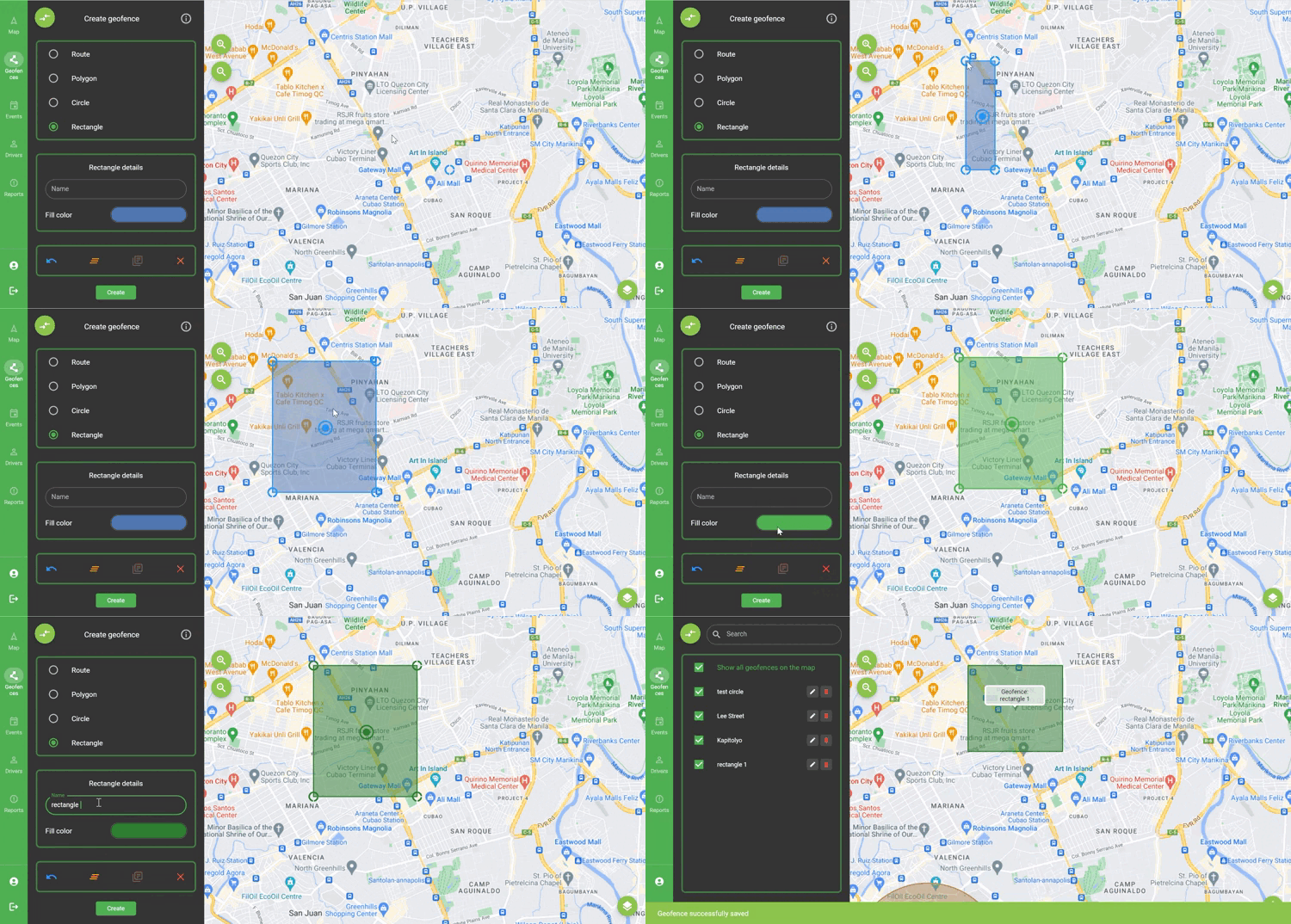
To create a Rectangle geofence it is necessary to draw at least 4 points on the map. After drawing 2 points on the map, 2 others will be drawn automatically. You can change the position of the rectangle by dragging the dot in the center of the rectangle. You can change the position of points by dragging a point. The drawing process and the choice of parameters are presented below:
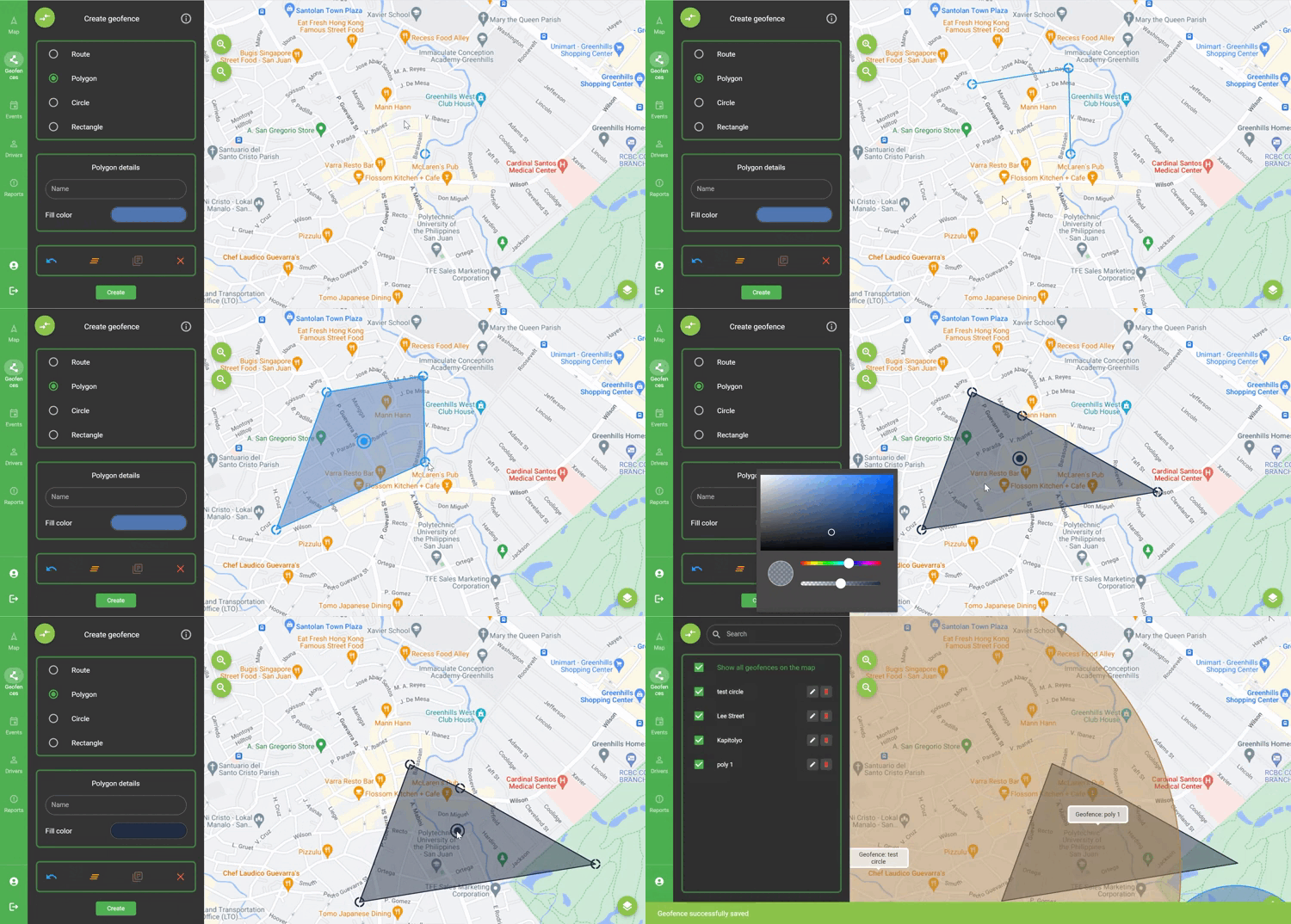
To create a Polygon geofence it is necessary to draw at least 3 points on the map. In order to close the polygon, you can click on the first drawn point or drag any point. You can change the position of the polygon by dragging the dot in the center of the polygon. You can change the position of points by dragging. The drawing process and the choice of parameters are presented below:
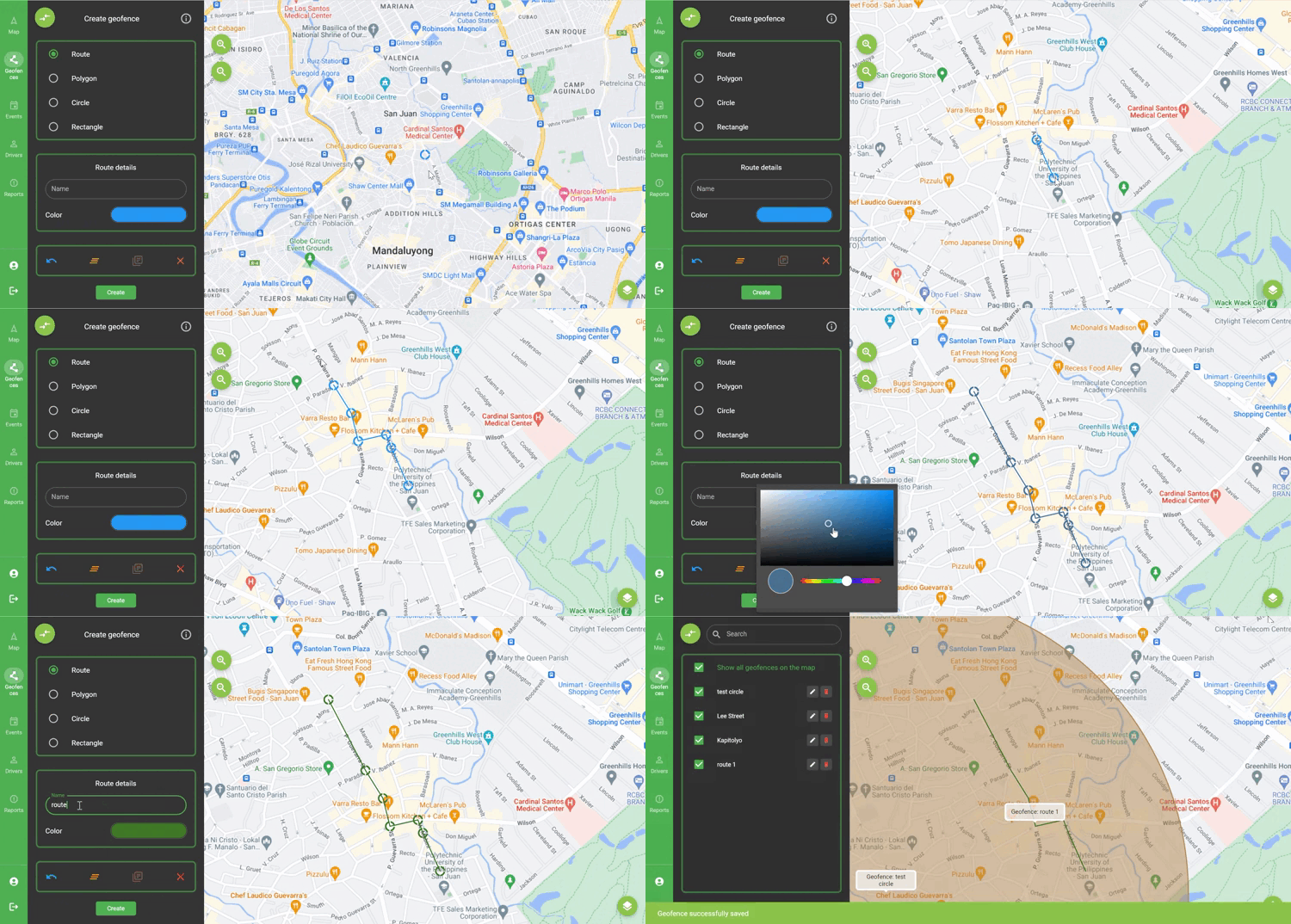
To create a Route geofence you need to draw at least 2 points on the map. You can change the position of points by dragging. The drawing process and the choice of parameters are presented below:
END OF DOCUMENT