Street View
Street View allows you to visually explore the current location where your vehicle is parked, providing a 360-degree panoramic image of the surroundings. This feature offers an immersive, real-time view of the area, so you can easily identify landmarks, parking spots, or nearby roads.
Accessing the Street View
To access this feature, navigate to the 'Map page', select the device you want to view, and find the icon above the road speed widget as shown in the image below.
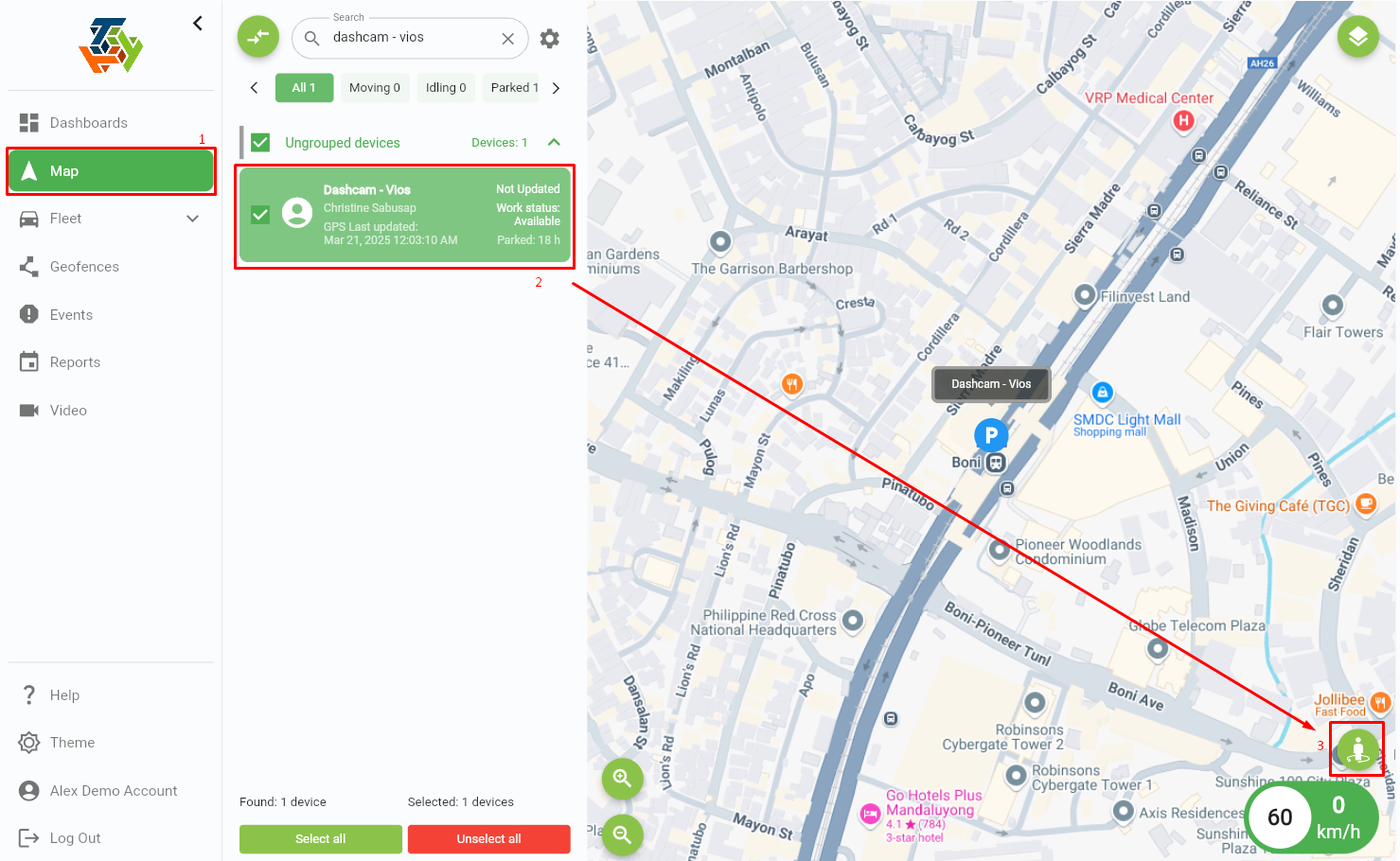
Once clicked, a new window will open, and you can now view the current location where your vehicle is parked.

Note: If no image appears in the Street View window, it means Google does not have a Street View image available for the current location.
END OF DOCUMENT